
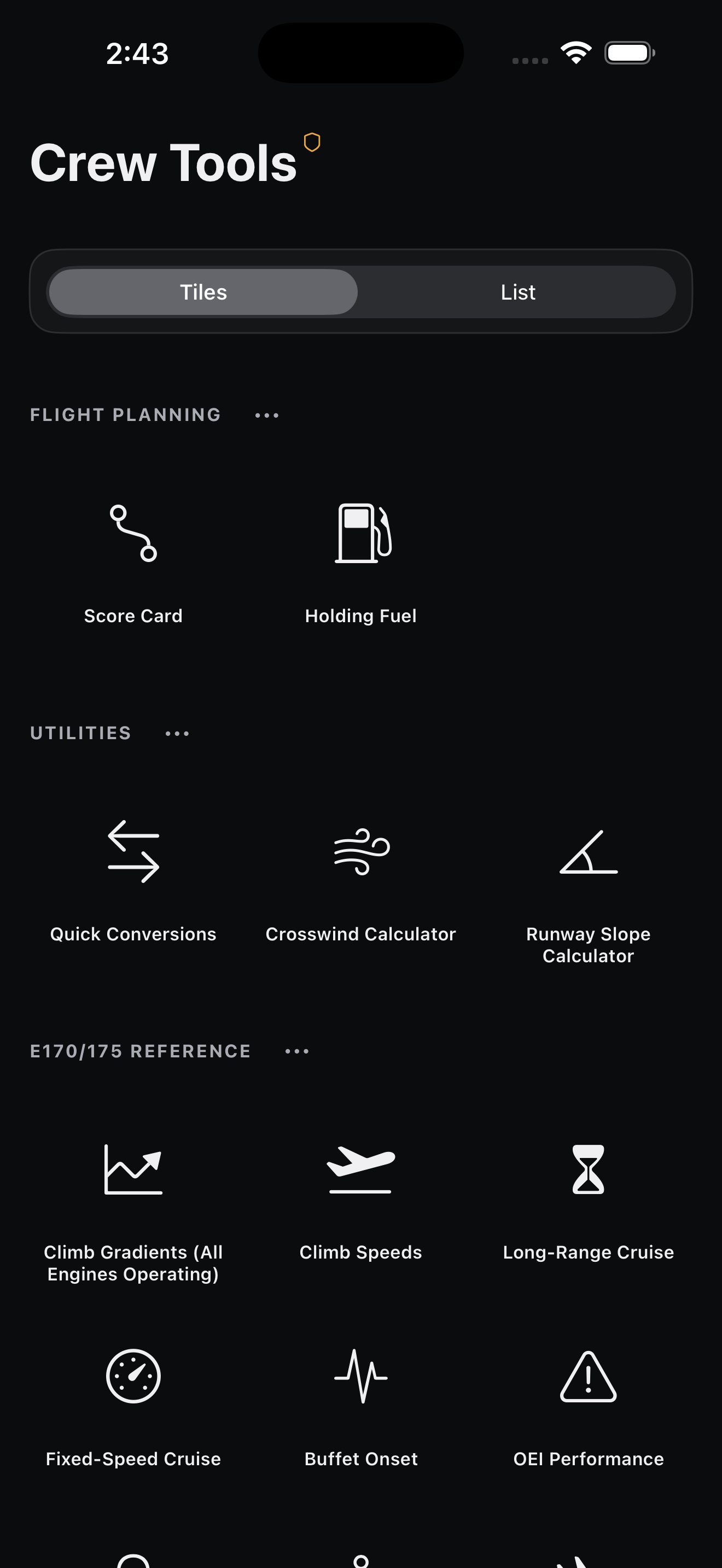
 Crew Tools
Practical tools. Cockpit discipline.
Sixteen focused flight-planning, calculation, and generic E170/E175 reference tools—organized around the way pilots actually work.
Your tools.
Your order.
Choose a visual tile catalog or a compact list. Favorite what matters, add only what you use, and arrange the workspace around your flow.
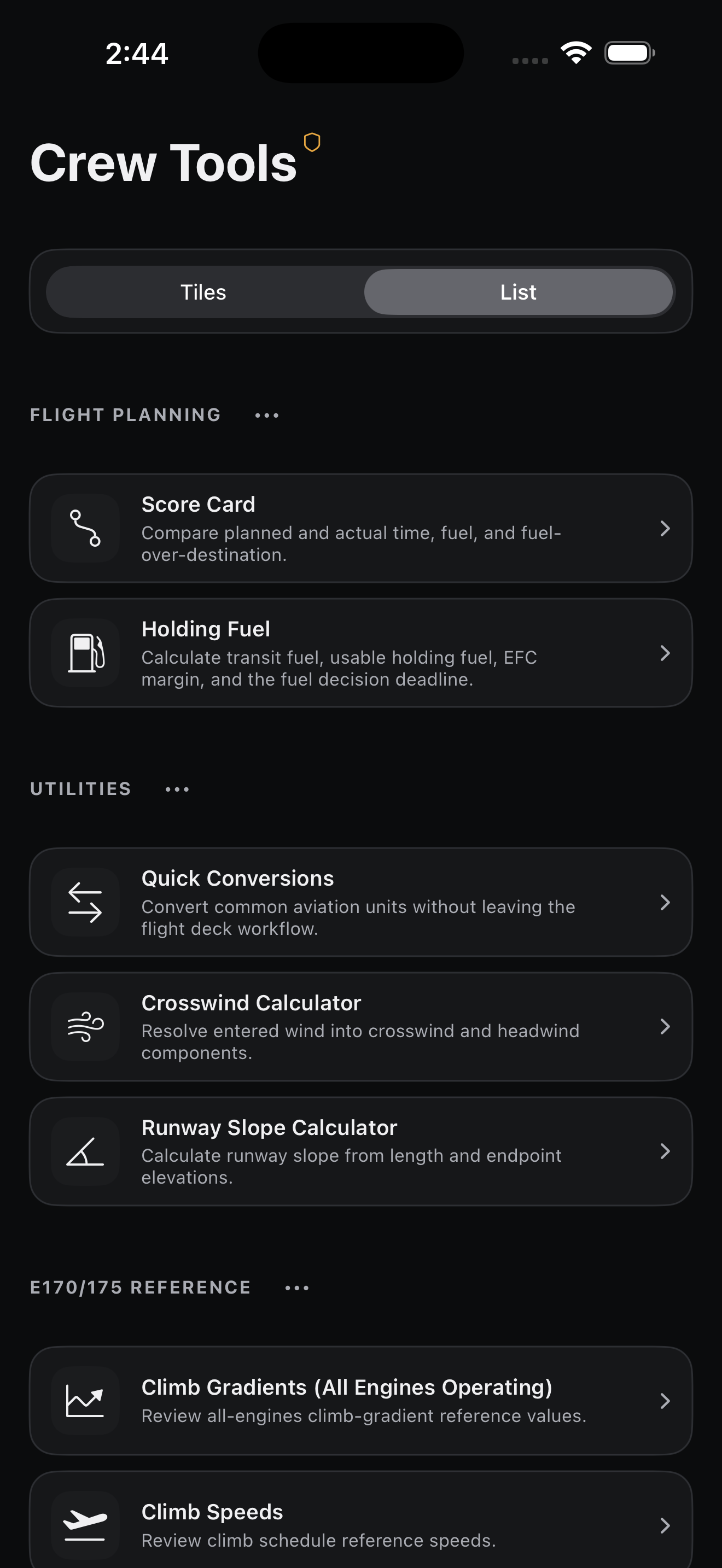
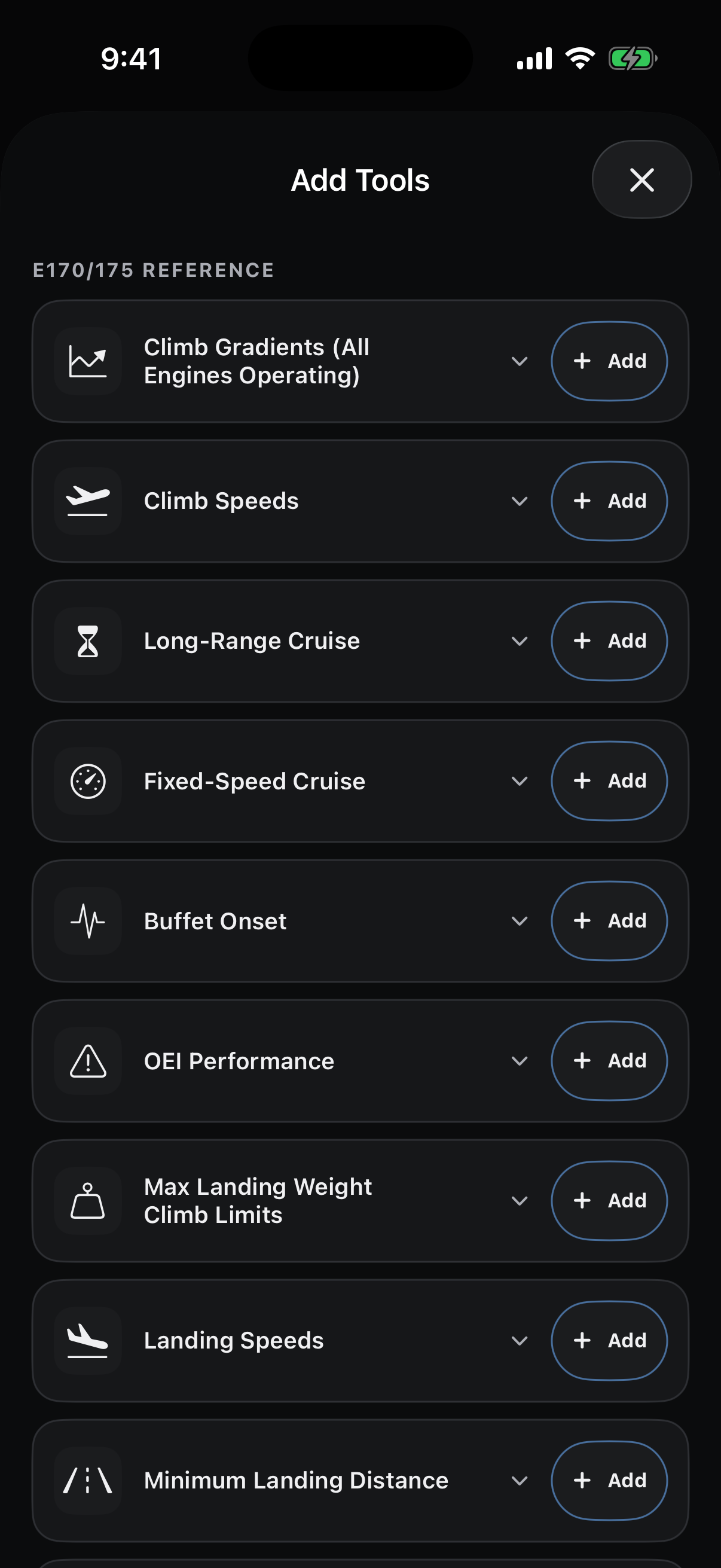
In-development interface · illustrative example inputs · not operational guidance.
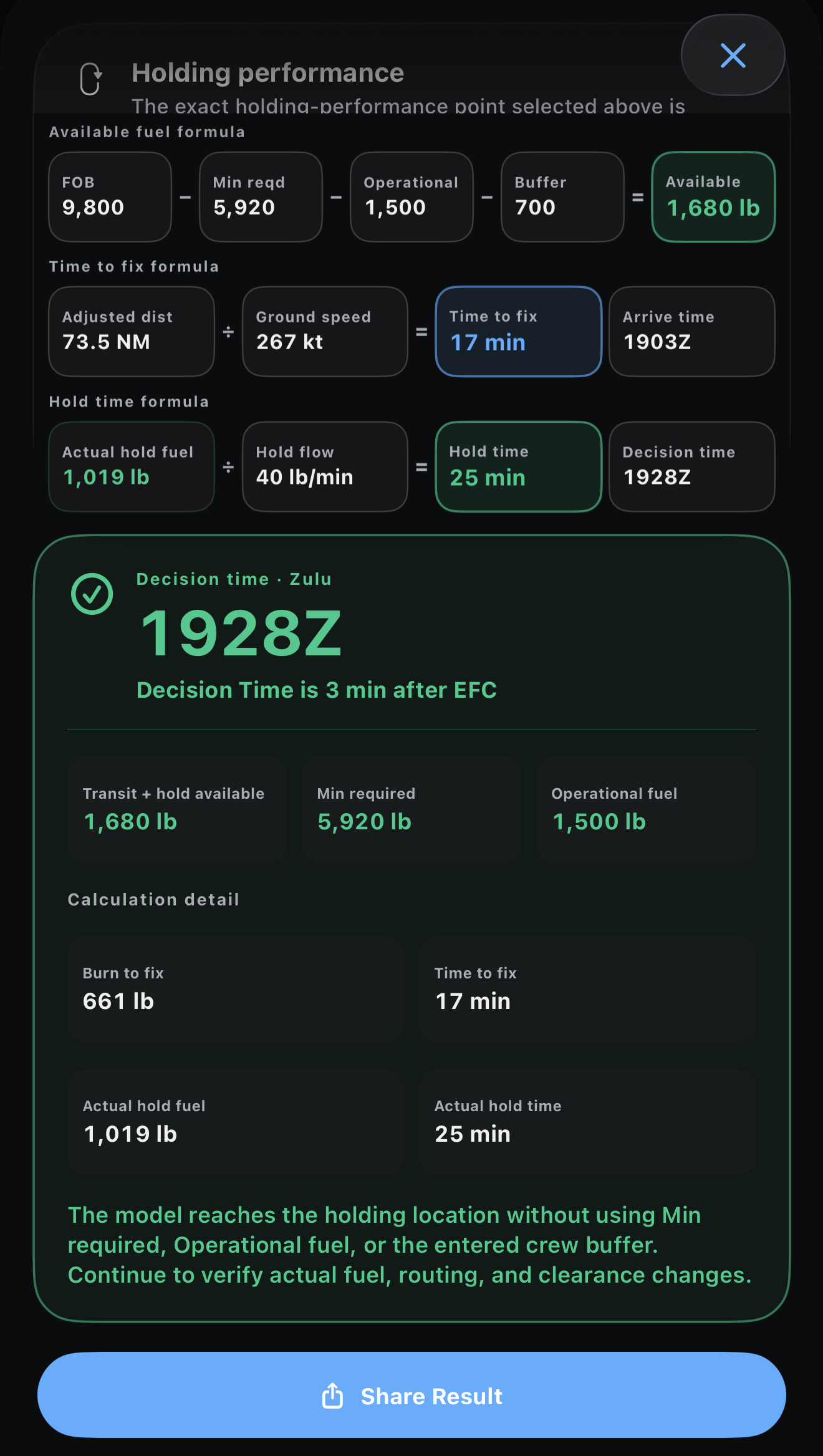
See the fuel picture—not just the answer.
Bring current fuel, required fuel, transit burn, and an optional crew buffer into one calm view. Compare against an EFC and see the resulting Zulu decision time.
Illustrative example only. Crew confirmation is required for current values.
Plan. Actual. Difference.
Turn a supported local dispatch-release PDF into a clean, readable flight score card—then compare key timing and fuel figures without carrying the source document forward.
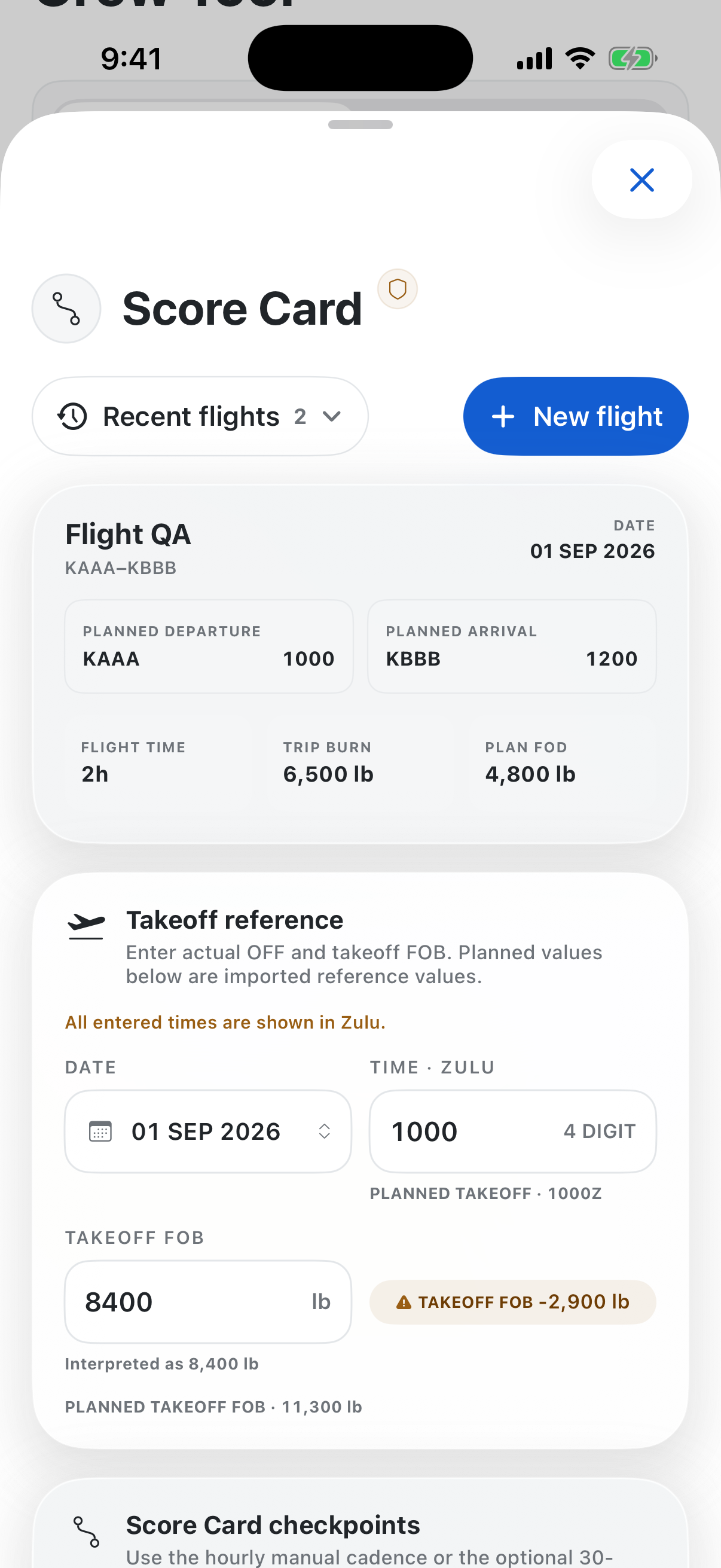
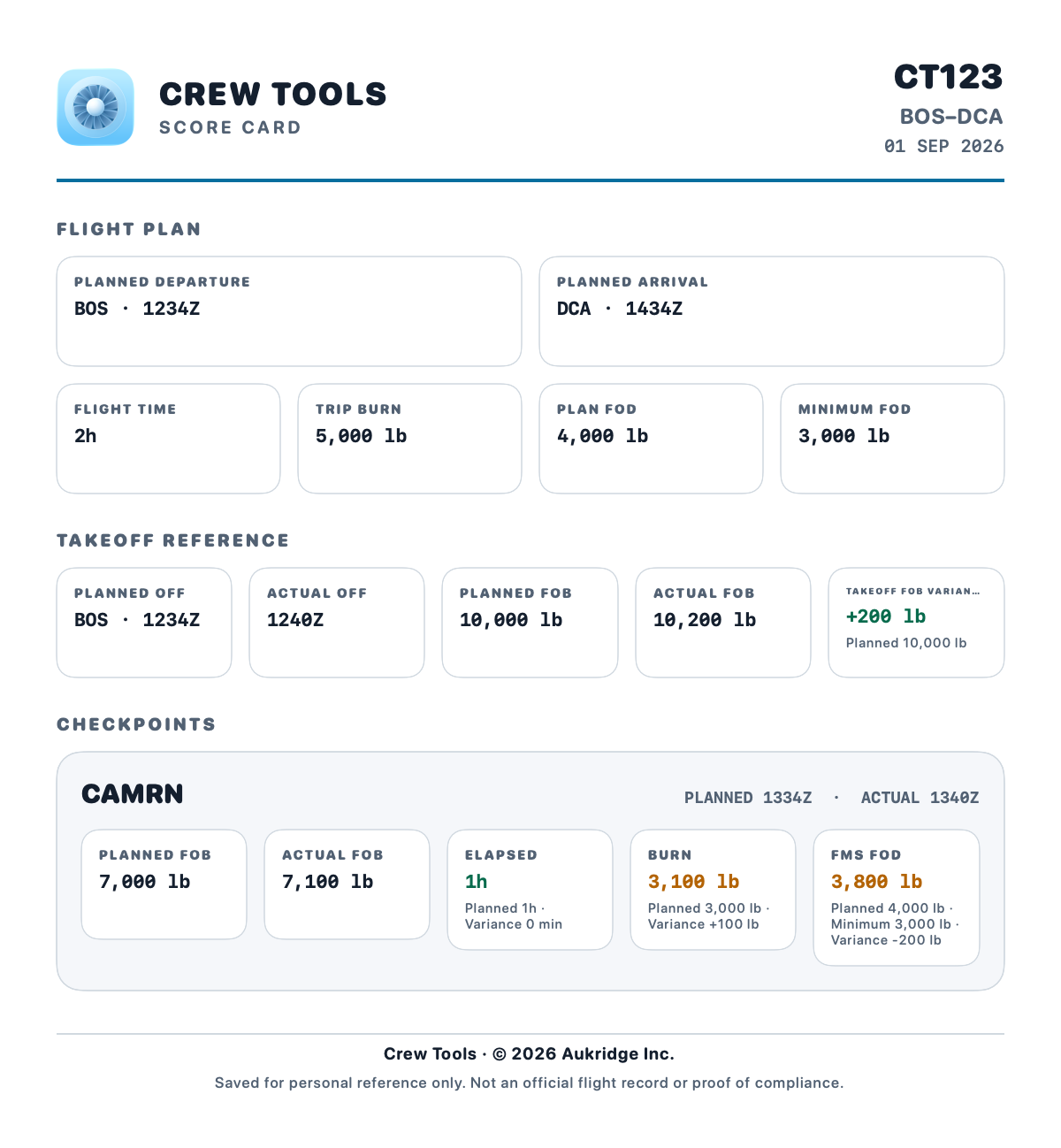
Demo fixture shown · supported pounds-based releases only · unsupported, scanned, incomplete, or inconsistent documents stop without producing a score card.
Exact means exact.
Eleven reference tools surface only supported table points. When an exact cell is unavailable, Crew Tools says so—clearly.
Results stay on exact, supported reference cells.
Inputs beyond supported bounds do not become invented answers.
The app does not quietly swap in a nearby value.
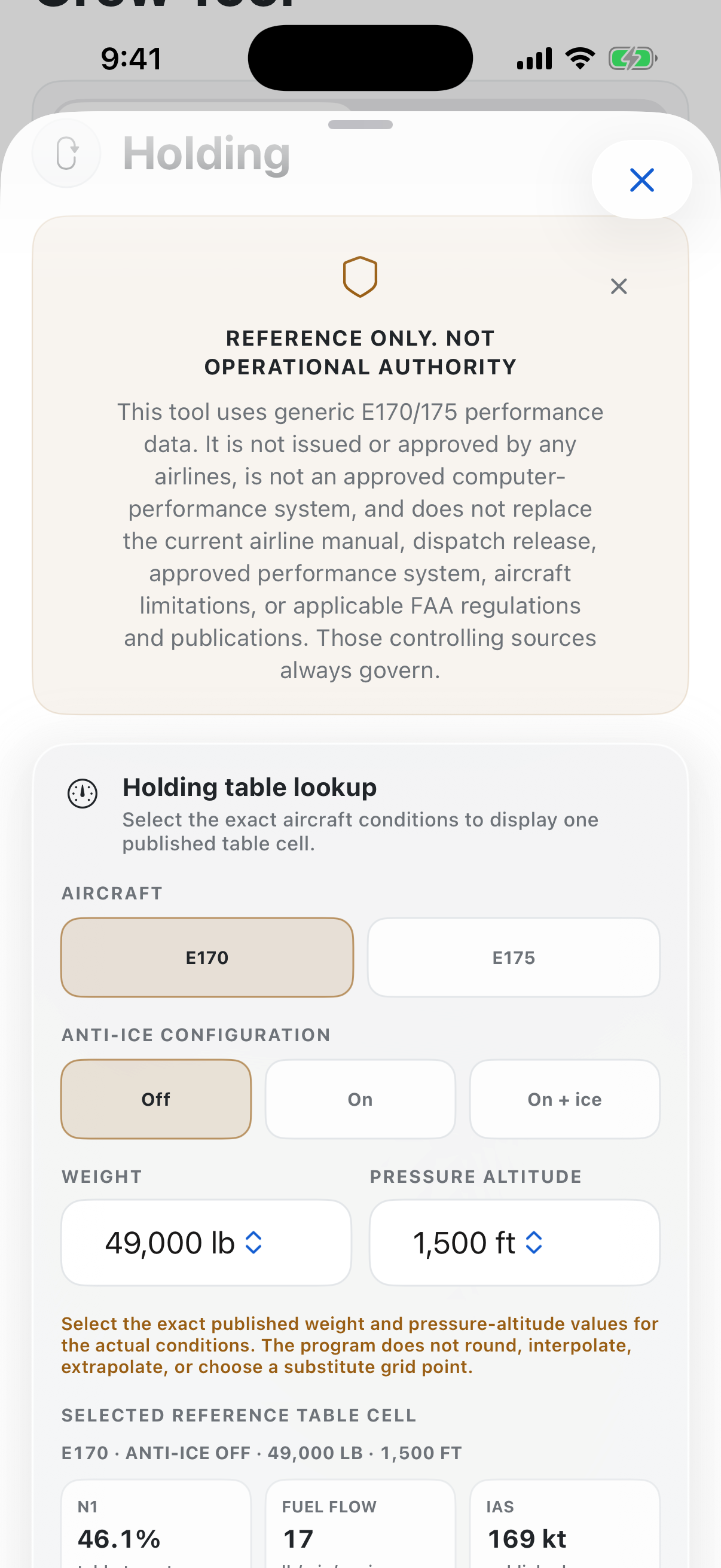
Generic reference presentation only. Always use current approved aircraft and company sources.
Fast math.
Transparent inputs.
Small calculations become useful when every input remains visible and easy to verify.
Quick Conversions
Move between common aviation units without leaving the workspace.
Crosswind Calculator
Keep runway, wind, and component inputs together in a readable result.
Runway Slope Calculator
Turn runway-end elevations and length into a transparent slope calculation.
Focused tools, without the noise.
Flight planning, utility calculations, and generic E170/E175 reference views in one concise catalog.
Your workflow stays close.
No account, backend, analytics service, widget, or extension is required for the core experience.
Select locally
Choose a supported dispatch-release PDF through the device document workflow.
Validate structure
Supported fields are parsed into structured facts; unsupported inputs fail closed.
Use the result
Review or export the Score Card. The source PDF is not retained by Crew Tools.
Structured facts may be saved locally when the user explicitly chooses to reuse them. The source PDF itself is not retained.
Built to stop when certainty stops.
Useful cockpit software should make assumptions visible, preserve unknowns, and refuse to manufacture precision.
Crew Tools is still under development. Follow the work, share feedback, and help shape a calmer set of tools for the flight deck.
Follow development
CREW TOOLS
Built for the flight deck. Crew Tools brings focused calculations, trusted reference lookups, and structured briefing utilities into one fast, local-first iPhone app.
Key features
• Aircraft type based performance calculator
• Holding fuel planning calculator
• Arrival/departure procedure insights tool
Designed and reviewed by current airline pilots, who are invested in streamlined and safe flight operations. Crew Tools is a supplemental planning and reference aid—not operator, dispatch, or company authority.
