
Puffin Crew · In development
Your whole trip,one clear view.
Schedules, rich flight details, weather, gates, crew context, hotels, and personal work totals—organized around the day you are actually flying.
Rich flight details
Open a leg. See the whole operation.
Timing and gates are only the beginning. Puffin keeps the useful context around the flight it belongs to, with source and freshness visible where operational data is available.
Flight plan
Route, altitude and speed beside supported dispatch-release facts and revision context.
Weather
Full-screen route weather keeps Radar, SIGMETs, G-AIRMETs and PIREPs within reach.
Aircraft flow
Follow the assigned tail’s current-day sequence only when matching source data is available.
Crew Awareness
Staff-load context plus flight- or tail-scoped crew reports for maintenance, operations and jumpseat items.
Logbook items
Review block, IMC, night, approaches, landings, crew and remarks before saving or exporting.
Availability varies by operator and source. Crew reports and predictions are advisory; confirm operational information with approved airline, airport and dispatch sources.
Schedule in, cleanly
Bring in the roster you already have.
Search for a flight, paste schedule text, or choose screenshots, photos, PDFs, text, CSV and calendar files. Supported inputs become a reviewable draft before parsed rows join your schedule.
Add schedule
Search, paste, drag, or open a supported file from one calm entry point.
Review before import
B7047 stays editable and reviewable before its twelve legs are added.
Look ahead
A smarter gate outlook—and a sit plan that respects the clock.
Gate Outlook explains what fresh movement evidence suggests. Sit guidance uses the available minutes and airport context to keep recommendations realistic for the next leg.
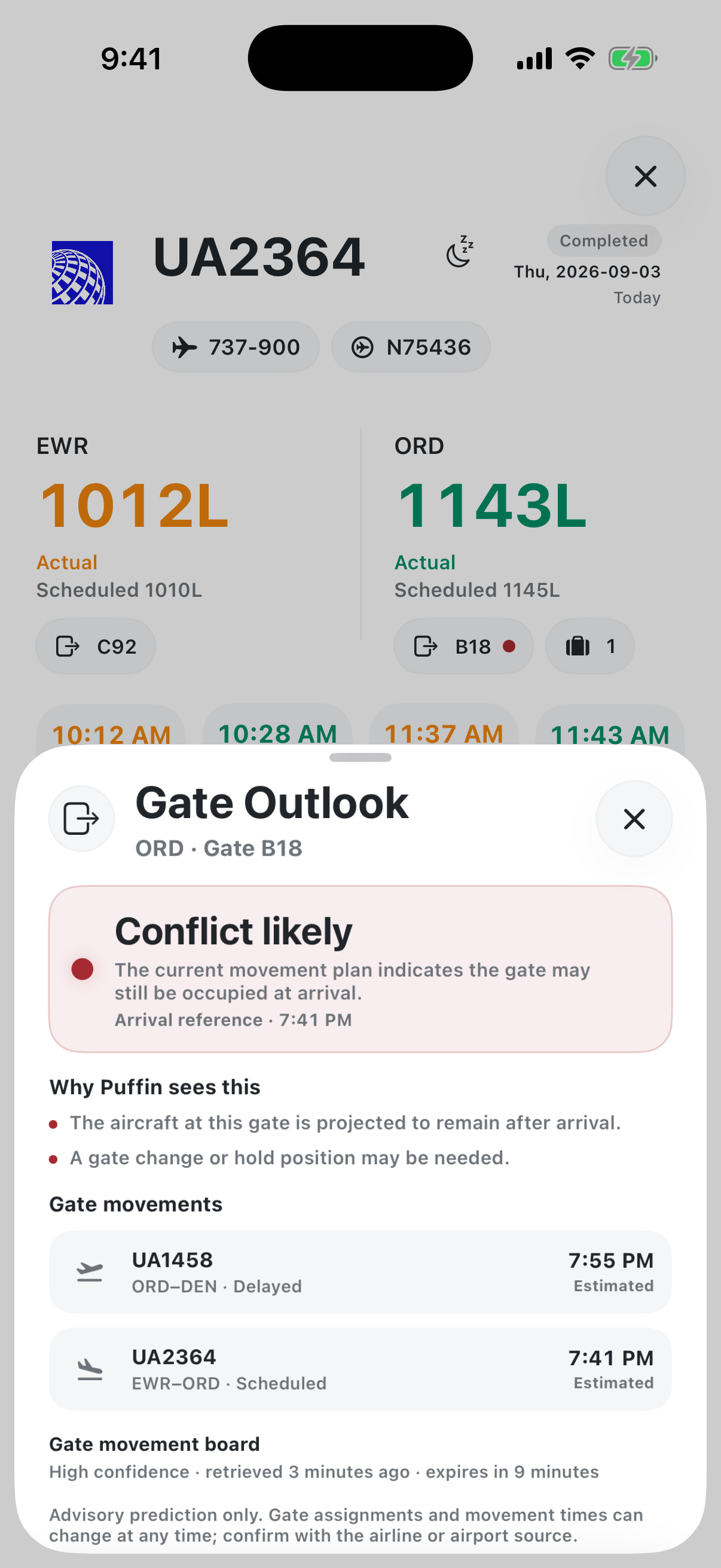
Smart Gate Outlook
Fresh evidence, with the reason attached.
Likely clear, tight, conflicted or unknown—the state stays tied to a current movement board and the matching flight occurrence.
Advisory only. Gate assignments, movement times, venue hours and walking conditions can change; confirm with current airline and airport sources.
Community context
The ground details crews actually need.
Airport pages combine weather and airport context. Hotel pages make shuttle pickup, call-or-wait rules, hours, frequency and backup plans easier to find—with freshness shown where available.
Airport context
JFK, beyond the code.
Weather, runway context, airport details and community imagery in one actual airport page.
Hotel context
Recognize the shuttle at the curb.
The Hilton Garden Inn Queens/JFK gallery shows the driver side clearly, with no license plate exposed.
Community details are not company instructions. Unknown information stays pending, and crews should confirm current airport, hotel and operator details.
Built into Puffin
Decision support, without pretending to be authority.
Two focused views help crews review the facts that matter, while keeping unsupported cases and required confirmation explicit.
Fatigue & duty
Bring validated duty numbers and pilot-entered factors together.
Review the inputs, then prepare an editable report draft without turning the tool into a fitness or legality determination.
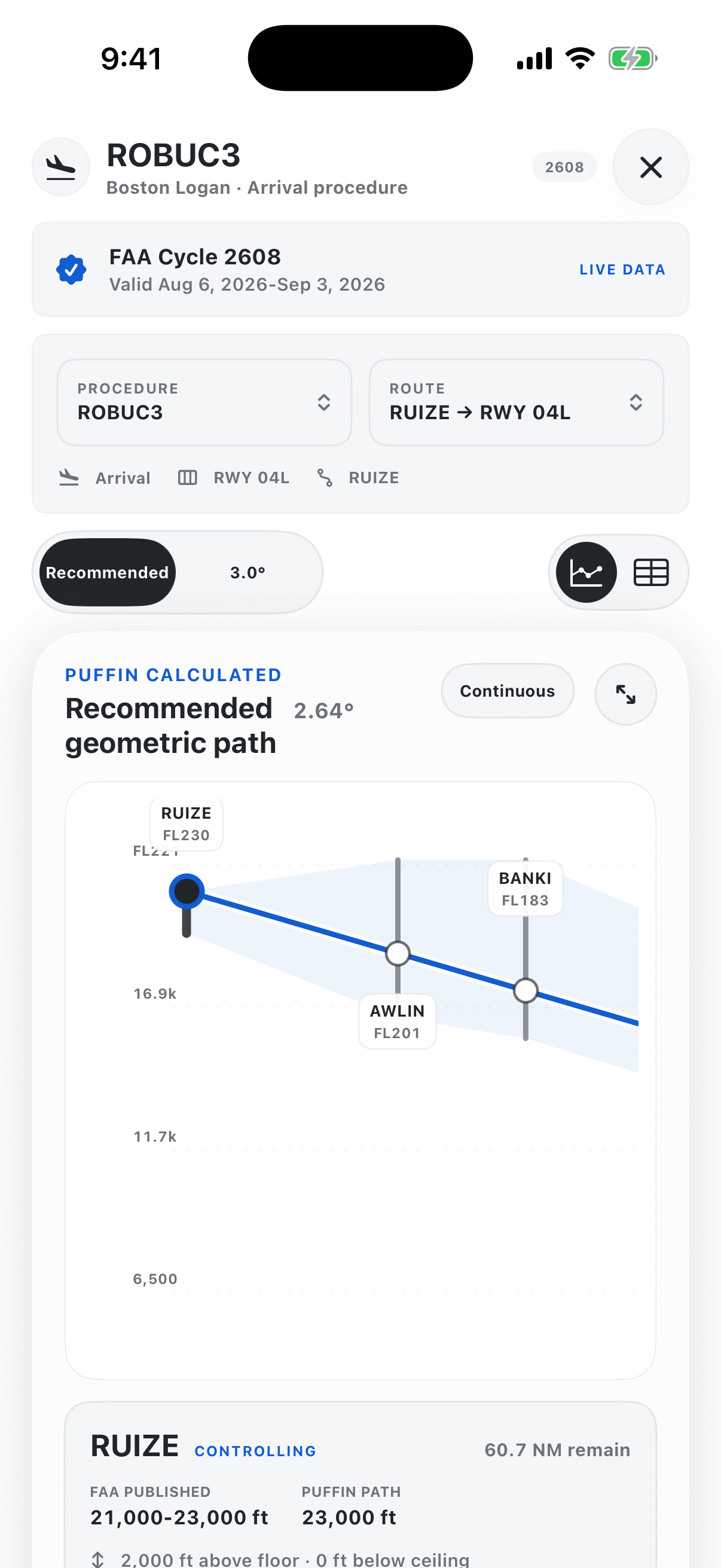
Procedure Lens
Search source-traced SID and STAR information by airport.
Open the procedure detail that is actually available. Missing or unsupported information remains unavailable.
Planning aids only. Puffin does not determine legality, fitness, compliance or company authorization. Unsupported cases remain unsupported.
Core experience
The everyday views, shown exactly as they work.
Every image below is either an actual 12:00 app capture or an explicit proof still waiting for one.
WX Along the Way
Current-conditions overlays from NOAA along the planned route, with Radar, SIGMETs, G-AIRMETs and PIREPs controls.
See the Work Add Up
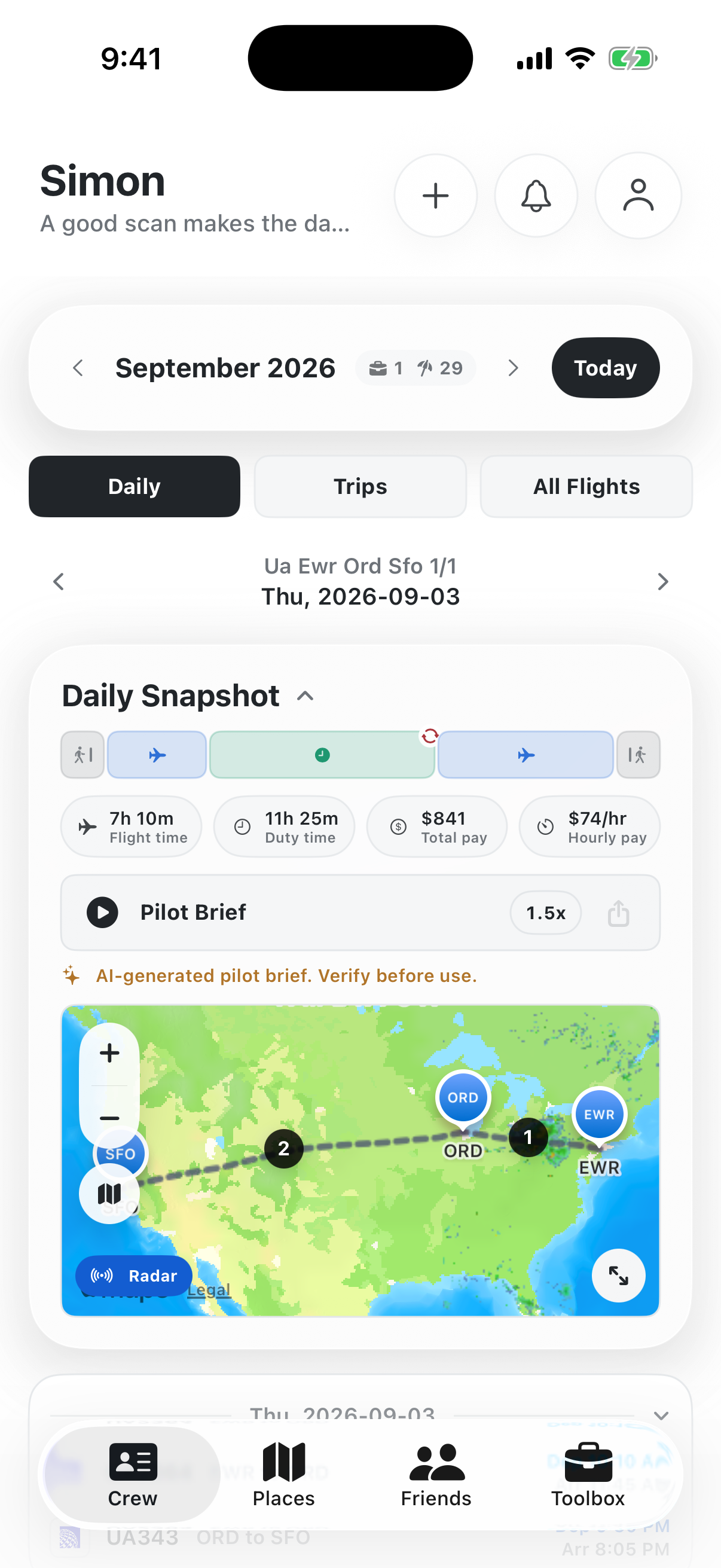
Flight Pulse charts Flight, Duty, Pay and Hourly together.
Your Schedule, Your Way
See B7047 span Sep 7–10, then move from the month into trips, days and individual legs.
iOS Widgets
Keep the next report, gate and day summary close at a glance.
Airport Pages
Real weather, runway and crew-relevant context for a real airport.
Hotel Pages
Overnight details down to the pickup point and shuttle view.
Fleet Context
Verified aircraft identity paired with exact-tail imagery only after native-resolution and mask review.
Clear by design
What is known. What is stale. What still needs confirmation.
Sources stay visible
Operational context keeps its source, freshness and confidence close.
Unknown stays unknown
Missing evidence remains unavailable or TBD instead of becoming a guess.
Crew confirms current values
The app supports the workflow; it does not replace required verification.
Puffin is an in-development reference and planning aid. It does not replace official releases, company systems, dispatch or operational control, approved weather sources, manuals, payroll records, or required crew verification.
Puffin Crew
Help shape a clearer crew day.
Tell us which details matter most between report and release.
Share feedback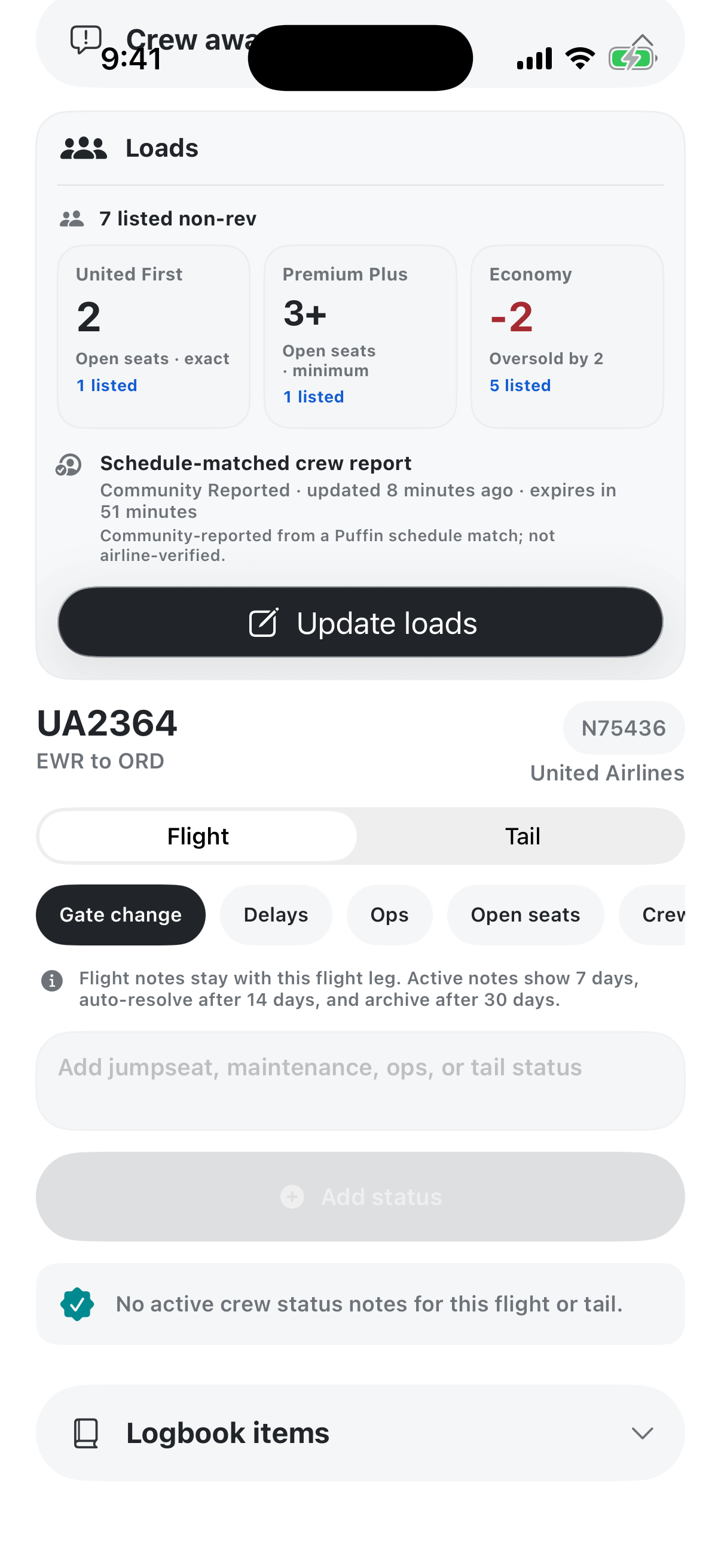
PUFFIN CREW
Operational context, brought together. Puffin Crew is a broader crew companion designed to make schedules, briefings, weather, airport context, and procedure awareness easier to review in one clear workflow.
Key features
• Procedure profiles with contextual geometry
• Fast route and procedure selection
• Story-style operational review for quick orientation
Currently under development. Puffin Crew is not dispatch, company, ATC, charting, or flight-crew authority. Crews must confirm current values and official sources.